

Download Firefox Mobile – Fast, Secure & Touch‑Optimized Browser
Overview
Firefox Mobile, codenamed Fennec, is Mozilla’s answer to the growing demand for a truly mobile‑first web experience. Unlike a simple port of the desktop version, Firefox Mobile delivers a fresh interface built from the ground up for small‑screen devices. The browser places the web page front‑and‑center, reserving only a generous, touch‑friendly address bar and a single bookmarks button for navigation.
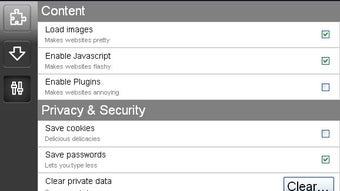
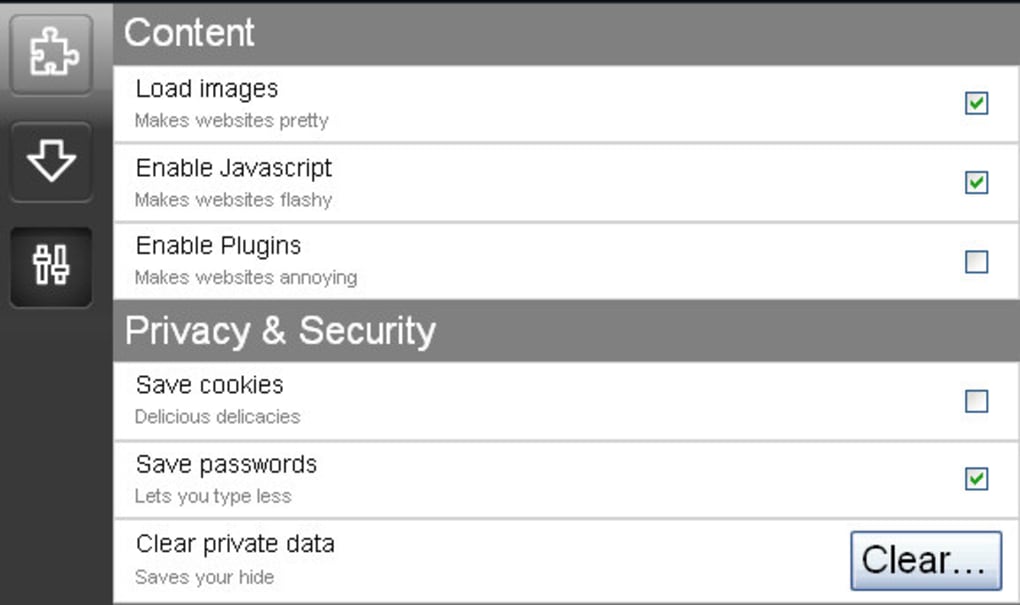
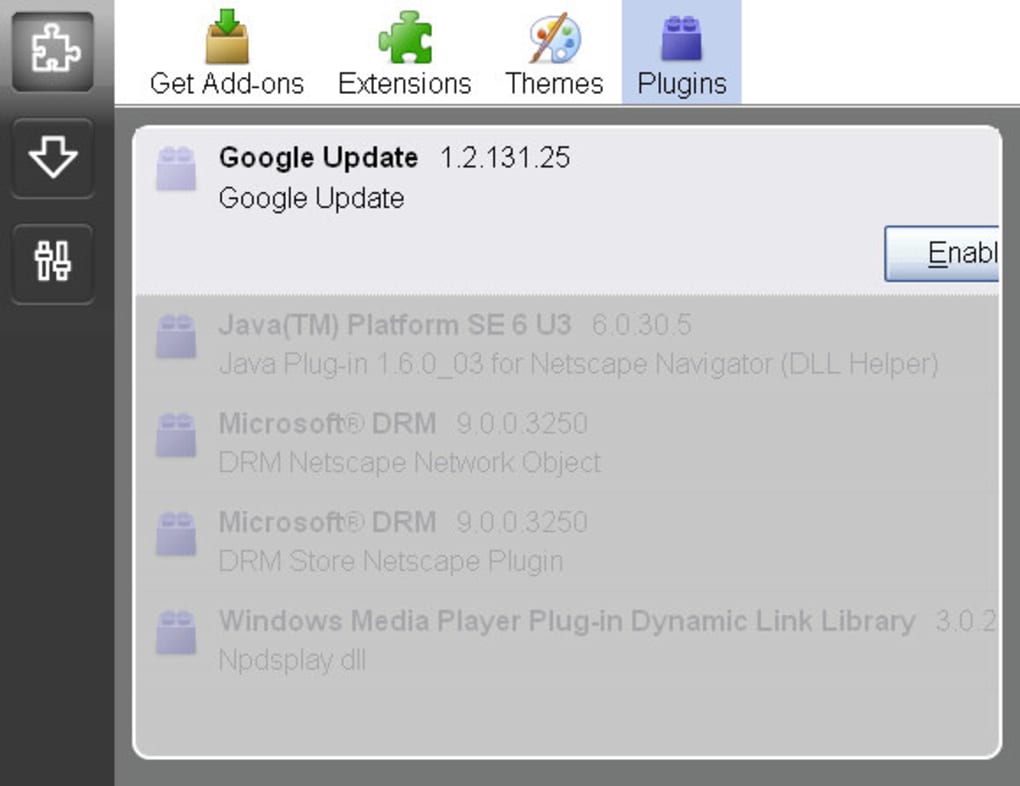
All secondary controls—JavaScript toggles, cookie management, password handling, and plug‑in settings—are tucked away in a slide‑out menu that appears when you swipe right. This design philosophy maximizes screen real‑estate while preserving the power users expect from Firefox. One of the standout innovations is the hidden‑tab drawer on the left, accessed by a left‑to‑right swipe, which keeps the tab bar out of sight until needed.
This not only declutters the view but also mirrors the way modern mobile OSes handle multitasking. The emulator you’ll download gives you a sneak peek at how the full‑featured Firefox Mobile will behave once it ships, letting developers and enthusiasts experiment with extensions, add‑ons, and emerging features like quick‑dial phone numbers and GPS‑enhanced maps. While the current alpha is still rough around the edges—display quirks, occasional crashes, and incomplete feature sets—it offers a compelling glimpse into a future where web browsing on smartphones is as fluid and secure as on a desktop.
Key Features of Firefox Mobile
- Touch‑Optimized Interface: Large address bar and swipe‑based menus make navigation effortless on fingertips.
- Hidden Tab Drawer: Tabs are stored in a left‑side panel that slides out on demand, freeing up valuable screen space.
- Full Extension Support: Syncs with desktop Firefox add‑ons, allowing users to bring familiar tools to their mobile device.
- Secure Browsing: Built‑in anti‑tracking, sandboxed tabs, and regular security updates keep your data safe.
- Cross‑Platform Development: Developers can create add‑ons using standard web technologies—HTML, CSS, JavaScript, and AJAX—without learning new native languages.
- Quick‑Dial for Phone Numbers: Detects telephone links and offers a one‑tap call option, streamlining mobile interactions.
- GPS & Map Integration (in development): Future releases will support location‑based services for richer web experiences.
- Customizable Settings Menu: Access JavaScript toggles, cookie controls, and password managers via a right‑hand swipe.
These features collectively aim to reduce the friction that has traditionally plagued mobile web browsing. By prioritizing a minimalist layout, Firefox Mobile ensures that the content you want to read stays the star of the screen, while still offering the depth of control power users need. The ability to bring your desktop add‑ons along means you won’t have to sacrifice productivity when you’re on the go. Moreover, Mozilla’s commitment to open standards means the browser remains transparent, adaptable, and ready for the next wave of web innovations.
Installation, Usage & Compatibility
Getting Firefox Mobile up and running is straightforward, whether you’re testing the emulator on a PC or planning to install the final build on a supported smartphone. Follow these steps to download, install, and start browsing:
- Download the Emulator: Visit Mozilla’s official download page and click the “Download Firefox Mobile Emulator” button. The file is a compressed archive (ZIP) for Windows.
- Extract the Package: Right‑click the ZIP file, choose “Extract All,” and select a destination folder. Inside, you’ll find an executable named
Fennec.exe. - Run the Installer: Double‑click
Fennec.exe. The installer will guide you through a standard setup wizard—accept the license, choose an installation path, and click “Install.” - First Launch: After installation, launch Firefox Mobile from the Start menu or desktop shortcut. The emulator opens in a window that mimics a smartphone screen.
- Sync Your Desktop Profile: If you already use Firefox on a PC, go to Settings → Sync and log in with your Mozilla account. Your bookmarks, passwords, and compatible add‑ons will automatically appear.
- Explore the Interface: Swipe right to reveal the settings drawer, swipe left for the tab panel, and tap the address bar to type or speak a URL. Use pinch‑to‑zoom gestures for page scaling.
Compatibility: The current emulator runs on Windows 10/11 (64‑bit). Future mobile releases will support Android 10+ and iOS 14+. Because Firefox Mobile adheres to open web standards, it works equally well on devices with varying screen densities and hardware capabilities. For developers, the emulator provides a sandboxed environment to test extensions, UI tweaks, and performance without needing a physical device.
Remember to keep the application updated. Mozilla releases regular patches that address security vulnerabilities, improve rendering speed, and add new features. The built‑in updater checks for the latest version each time you launch the browser, ensuring you always have the most secure and performant experience.
Conclusion, Pros & Cons, and Frequently Asked Questions
Pros
- Highly touch‑friendly UI designed for small screens.
- Hidden tab drawer preserves screen space without sacrificing multitasking.
- Full compatibility with existing Firefox add‑ons and sync features.
- Strong privacy protections and regular security updates.
- Open‑standard development model encourages community contributions.
Cons
- Current alpha version contains display glitches and occasional crashes.
- Limited native mobile features (e.g., GPS, quick‑dial) are still under development.
- Only Windows emulator available for testing; mobile builds are pending.
- Performance on low‑end devices may vary until optimizations are completed.
- Some desktop extensions may not translate perfectly to the mobile environment.
Frequently Asked Questions
Is Firefox Mobile free to download?
Yes, the Firefox Mobile emulator and the eventual mobile app are completely free. Mozilla’s mission is to keep the web open and accessible without charging users.
Can I sync my desktop bookmarks and passwords?
Absolutely. By signing into your Mozilla account within the browser, all your synced data—including bookmarks, saved passwords, and compatible add‑ons—will appear on the mobile version.
Will Firefox Mobile support extensions on Android and iOS?
Mozilla is actively working on cross‑platform extension support. While many desktop extensions will work out‑of‑the‑box, some may need minor adjustments for mobile-specific APIs.
How secure is browsing on Firefox Mobile compared to other browsers?
Firefox Mobile inherits Firefox’s robust security stack: anti‑tracking, sandboxed tabs, regular security patches, and built‑in HTTPS‑Only mode. Independent audits regularly confirm its high security standards.
What should I do if I encounter a bug in the emulator?
Report issues on Mozilla’s Bugzilla platform, providing details about your operating system, steps to reproduce, and any screenshots. The development team reviews reports and prioritizes fixes for future releases.
In summary, Firefox Mobile represents a bold step toward a cleaner, more secure mobile browsing experience. While the current alpha still has growing pains, its innovative UI, strong sync capabilities, and commitment to privacy make it a compelling choice for anyone who wants a desktop‑grade browser on their phone. Download the emulator today, explore the hidden tab drawer, and experience how Mozilla is reshaping mobile web navigation.
Download Firefox Mobile now and join the community of users who demand speed, security, and freedom on every device.







